
When considering the OnePlus Watch 3 vs Watch 2, it’s essential to weigh your needs carefully. You buy this fancy piece of tech, and it feels kinda stupid that you have to tether it to a charger every single night just to make sure it wakes up with you. In the Wear OS arena, the OnePlus Watch 3 is trying to fix that annoyance. It elevates the game with a massive 5-day battery life—that’s a solid 20% boost over the already impressive Watch 2’s 4 days.
But it’s not just about keeping the lights on. We’re talking about titanium bezels, a screen that’s actually readable in direct sunlight, and advanced health sensors like ECG and wrist temperature that were missing before. Priced at roughly £319 compared to the Watch 2’s £239, it’s definitely asking for a bit more investment. It addresses those nagging tracking flaws from the previous generation, but is it worth the extra cash? Let’s dig into the details to see if these upgrades justify the switch for your fitness tracking, daily use, and premium smartwatch needs in 2026.
Design & Build: Titanium Premium vs Solid Steel
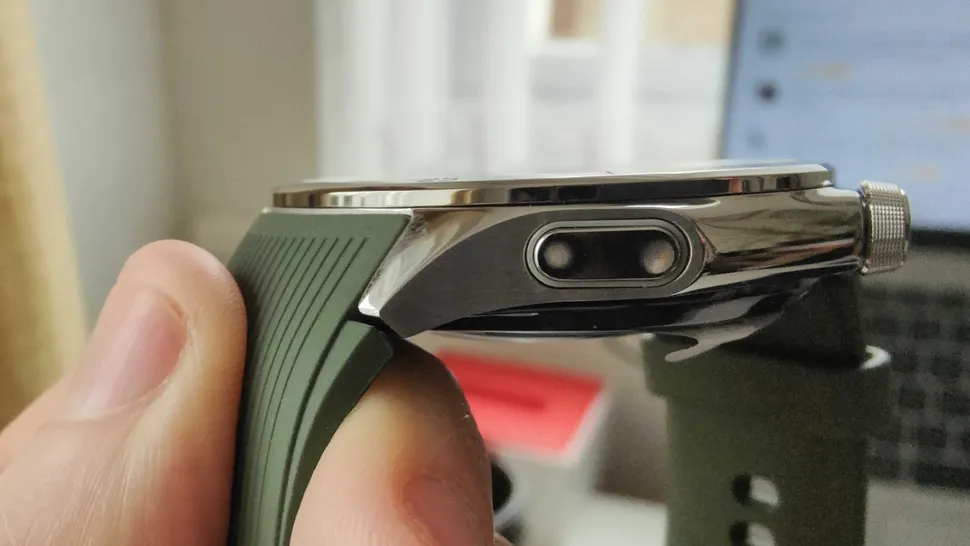
When you hold these two side-by-side, you notice the difference in materials immediately. The Watch 2 was sturdy, sure, but the OnePlus Watch 3 leans heavily into the “luxury” vibe without feeling fragile.
The Shift to Titanium Alloy Bezel
The biggest physical change here is the titanium alloy bezel on the Watch 3. If you’ve worn stainless steel watches all day—like the Watch 2—you know they can start to feel a bit heavy on the wrist during a long run or while you’re trying to type. Titanium offers that sweet spot of being incredibly tough but surprisingly light. It gives off a premium feel that you usually only see in watches costing twice as much.
Here is how the build quality stacks up:
- Weight & Feel: The Watch 3 is lighter and slimmer at 11.75mm thickness, making it much easier to wear while sleeping for health tracking.
- Durability: Both watches are tanks. You get MIL-STD-810H watch certification on both, meaning they can handle shock, extreme temps, and solar radiation.
- Water Resistance: Both carry IP68 smartwatch and 5ATM ratings, so swimming or getting caught in the rain isn’t an issue for either.
Aesthetics and Color Options
The Watch 2 looks great, but the Watch 3 refines the look. It comes in Obsidian Titanium (black) and Emerald Titanium (green). The green variant is particularly striking—it’s subtle, not loud. If you are tired of the standard black slab on your wrist, the Emerald option is a nice change of pace.
Display & Brightness Showdown
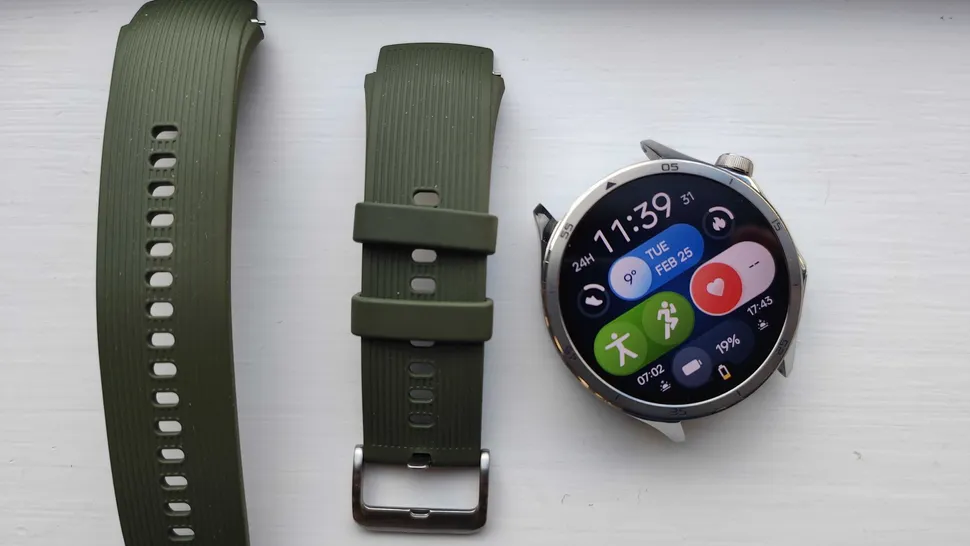
The screen is the one thing you look at dozens of times a day, so it better be good. The Watch 2 had a decent screen, but the OnePlus Watch 3 display is in a different league entirely.
Visibility in Direct Sunlight
This is where the numbers actually matter in real life. The Watch 2 maxed out at 1000 nits. That’s fine for indoors, but try reading a text message on a beach or during a noon run, and you’re squinting. The Watch 3 pumps out LTPO AMOLED 2200 nits of brightness. It cuts through glare easily.
- Technology: The Watch 3 uses LTPO technology, which allows for a variable refresh rate.
- Bezels: The bezels are visibly thinner on the newer model, giving you more screen real estate without making the watch physically massive.
- Dimming: Improved DC dimming ensures the screen is comfortable to look at in pitch-black rooms (like when checking the time at 3 AM).
Battery Efficiency with LTPO
The 1.5-inch screen on the Watch 3 isn’t just brighter; it’s smarter. Because it supports a 1Hz adaptive refresh rate (thanks to that LTPO tech), the screen can drop its refresh rate way down when you aren’t interacting with it. This is a huge factor in why the battery life has improved, despite the screen being bigger and brighter than the 1.43-inch panel on the Watch 2.
Sensors & Health Tracking Upgrades
If you are a health nut, this is the section that matters. The Watch 2 was a good “smart” watch, but it lacked some serious health metrics. The OnePlus Watch 3 upgrades bridge that gap significantly.
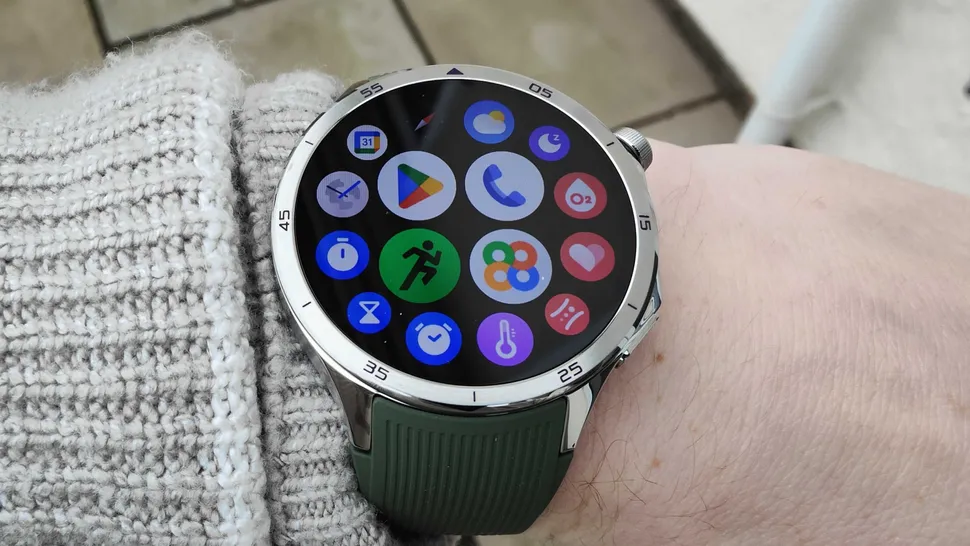
Advanced Health Metrics
The Watch 3 introduces sensors that simply aren’t there on the Watch 2. We are talking about an ECG smartwatch Android users have been waiting for, plus a wrist temperature sensor.
- ECG: crucial for detecting atrial fibrillation (though remember regional rollout limits apply).
- Temperature: Helps with cycle tracking and illness detection.
- Vascular Age: Gives you an idea of your arterial stiffness—a great metric for long-term heart health.
The 60-Second Health Check
This is a feature I didn’t think I’d use, but it’s actually handy. The 60 second health check on the Watch 3 captures your heart rate, SpO2, stress levels, vascular age monitoring, and even metrics for a mental wellness watch assessment all in one minute. It’s perfect for a quick morning baseline.
Accuracy Improvements
While both watches share the basics like an 8-channel HR sensor and 16-channel SpO2, the OnePlus OHealth app processes the data differently on the Watch 3. The LEDs have been redesigned to provide clearer signals, reducing those weird spikes you sometimes see during heavy workouts.
Battery Life: The Killer Feature
Okay, this is the big one. The “Dual-Engine” architecture was cool on the Watch 2, but the Watch 3 battery life takes it to a place where you might actually forget where your charger is.
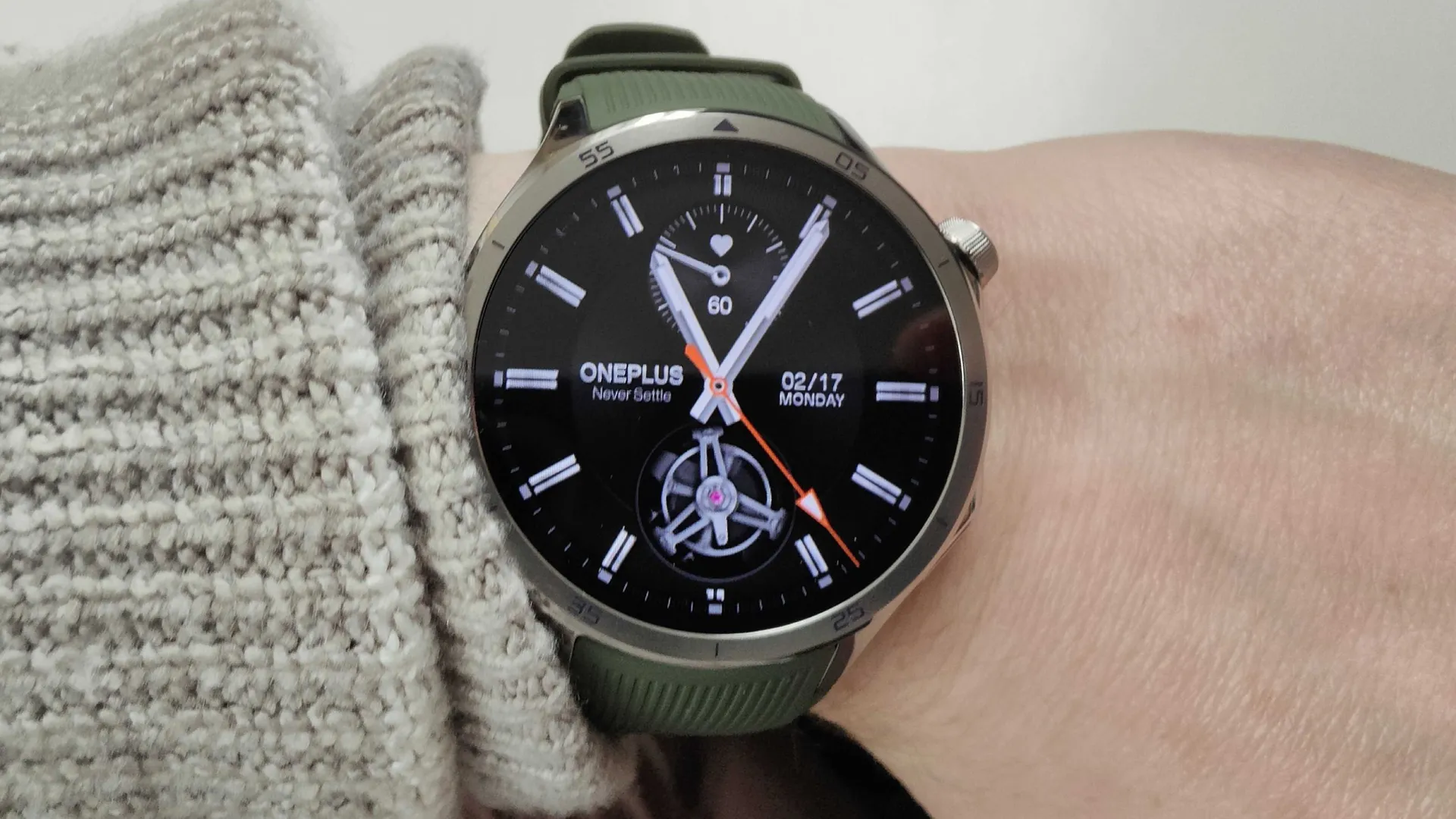
Breaking the 100-Hour Barrier
The Watch 2 was famous for its 100-hour battery life. The Watch 3 pushes this to 120 hours smart mode—that’s a full 5 days of regular use.
- Battery Size: A larger 613mAh cell vs the 500mAh in the predecessor.
- Tech: It uses a silicon nano stack battery, which allows for higher density in the same space.
The Dual-Chip Advantage
Both watches use a dual-chip system, but the Watch 3 upgrades the efficiency co-processor. It pairs the Snapdragon W5 Gen1 with the new BES2800 chip. This combo boosts efficiency by nearly 200% for background tasks.
- Charging: Both are fast, but the Watch 3 gives you a day’s power (24 hours) in just 10 minutes of charging.
- Power Saver: If you go into pure power saver mode, you can squeeze out nearly 16 days.
Performance, GPS & Software
Software can make or break the experience. The Watch 3 launches with Wear OS 5, while the Watch 2 is on Wear OS 4 (pending updates).
GPS Accuracy
For the runners out there, the OnePlus Watch GPS accuracy has been overhauled. The Watch 3 uses a new Dual frequency GPS watch setup with a polarized antenna.
- City Running: If you run near tall buildings, the Watch 2 sometimes zig-zagged your route. The Watch 3 locks on much better.
- Power Consumption: The new GPS module uses 50% less power, so tracking a marathon won’t kill your battery.
Smoother Performance
With the new chipset and software, the interface feels buttery smooth. The dual chip smartwatch architecture allows the heavy lifting to be done by the Snapdragon chip while the lighter tasks (notifications, time) are handled by the efficient BES2800. It supports 100 sports modes watch tracking and NFC payments watch capabilities seamlessly.
Price, Value & Upgrade Verdict
So, you have the facts. Now, let’s look at the numbers. Is the newer model worth the extra cash?
| Feature | OnePlus Watch 3 | OnePlus Watch 2 |
|---|---|---|
| Price | Check Dropship Price | Check Dropship Price |
| Battery Life | 5 Days (120 hrs) | 4 Days (100 hrs) |
| Display | 1.5″ LTPO (2200 nits) | 1.43″ AMOLED (1000 nits) |
| Sensors | ECG, Temp, 60s Check | Basic HR/SpO2 |
| Build | Titanium Alloy | Stainless Steel |
| Verdict | Premium All-Rounder | Budget Battery Champ |
Who Should Buy the Watch 3?
If you care about health data—specifically ECG and wrist temperature sensor data—the OnePlus Watch 3 price of £319(Register for dorpship price) is justified. The screen brightness alone is a massive quality-of-life improvement for anyone who spends time outdoors. Plus, getting that 5th day of battery life adds a buffer that genuinely reduces “range anxiety.”
Who Should Stick with (or Buy) the Watch 2?
If you see some good Watch 2 deals 2026, don’t be afraid to pull the trigger. It is still a fantastic device. If you don’t need the medical-grade sensors and you work mostly indoors, the Watch 2 offers 90% of the experience for a significantly lower price. Also, keep an eye out for the OnePlus Watch 2R if you want something even more budget-friendly.
Conclusion
The OnePlus Watch 3 outshines the Watch 2 with superior battery performance, a significantly brighter LTPO display, and that robust titanium durability. The addition of ECG sensors and precise dual-frequency GPS makes it the ideal choice for fitness enthusiasts and daily Android smartwatch 2026 users who are tired of charging every night.
While the Watch 2 remains a solid value pick, especially if you catch it on sale, the £80 premium for the Watch 3 delivers tangible upgrades in health insights and daily efficiency that you will notice. Just remember, neither of these will work with an iPhone, so check your current deals, pair it up with your Android, and elevate your wrist tech.
Final thoughts: If you are running a store or dropshipping these, the Watch 3 is the easier sell for “tech-heads” and fitness pros, while the Watch 2 is your volume seller for the budget-conscious crowd.
Stay practical!
FAQs
Is OnePlus Watch 3 battery really 5 days?
Yes, in “Smart Mode,” the OnePlus Watch 3 battery is rated for up to 100-120 hours, which translates to roughly 5 days of typical usage. However, heavy GPS use or keeping the Always-On Display active will reduce this.
Does Watch 3 have ECG everywhere?
The hardware for ECG is built into the watch, but the feature activation depends on regional regulatory approval (like the FDA in the US). Check your specific region’s support list before buying if this is a deal-breaker.
Watch 3 vs Watch 2: Worth upgrading?
If you already own the Watch 2, the upgrade is only worth it if you specifically need the brighter screen for outdoor use or the new health sensors (ECG/Temp). For general notification and step tracking, the Watch 2 is still very capable.
OnePlus Watch 3 compatible with iPhone?
No. Like its predecessor, the OnePlus Watch 3 runs on Wear OS and is tightly integrated with the Android ecosystem. It does not support iOS devices.